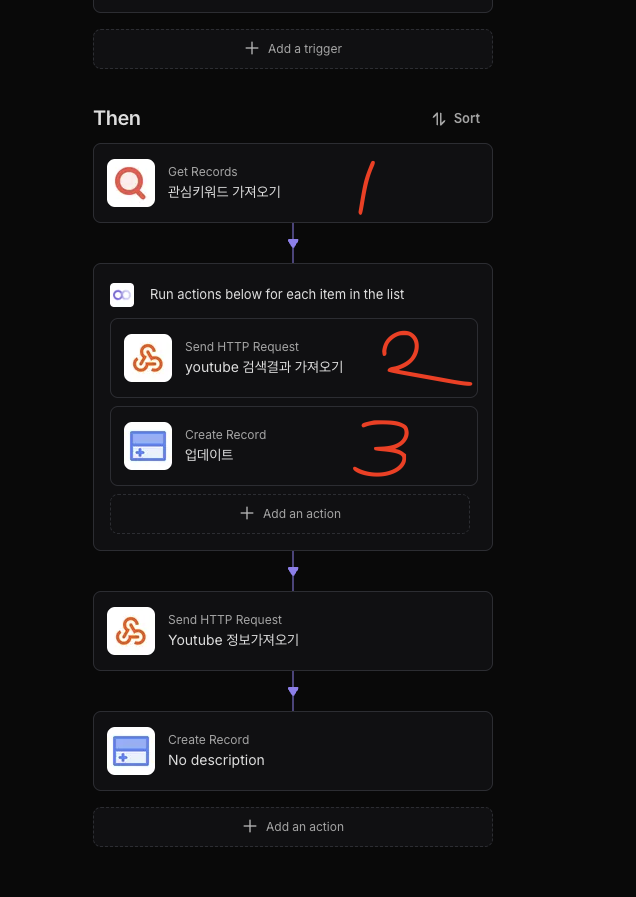
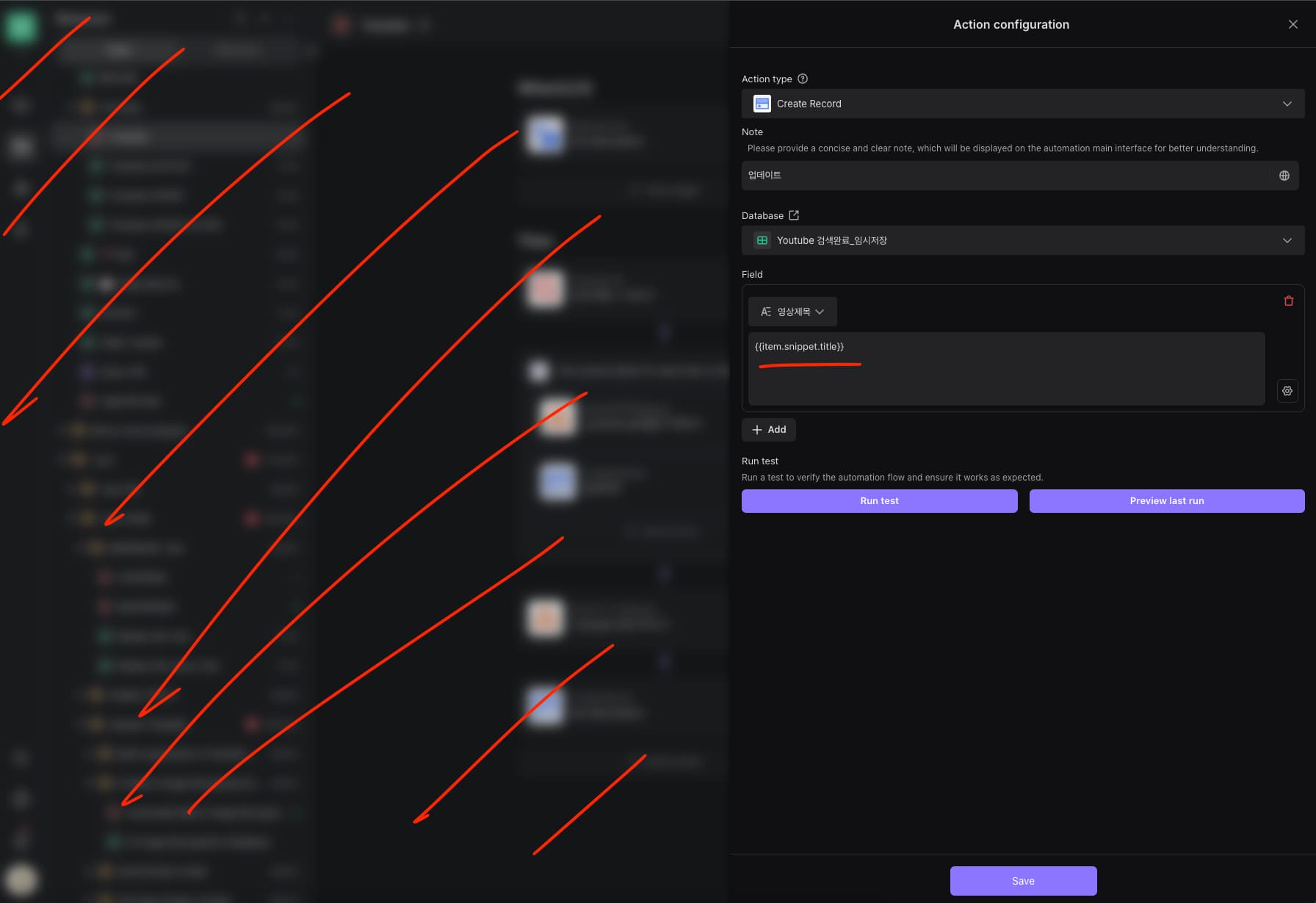
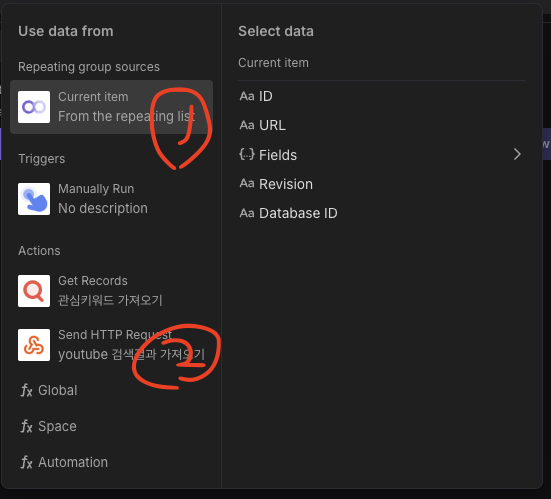
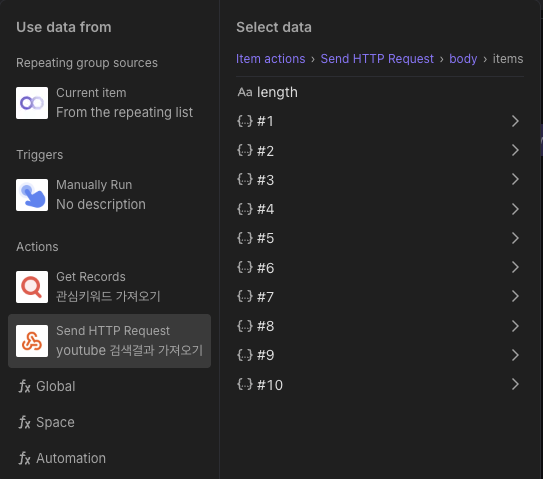
I executed step 2 using the value obtained from step 1. I want to create step 3 using the result from step 2, and I would like to know how to set the variable to be used in step 3.
When using current item, you can only retrieve the value from step 1.
If you select step 2 from the Actions tab, you cannot access the multiple values obtained through the loop.
I’ve seen an input format like the following in a template before: <%= _itemActions.actga2nvTCl4oX42lt3wtjvL.body.choices[0].message.content %>
But it’s hard to find the action ID, and the method is honestly too difficult.
In this case, I would like to know how to properly select the variable.
Honestly, the variable input method is too inconvenient.
If it’s possible, please show me how — if it’s not possible, I’ll give up on this part.
Also, when the right sidebar opens with the input field, the left screen gets blurred. Sometimes I need to view the database on the left, so I wish it were fully visible like in Aitable.
Hi @Headchef.Yang, did you already configure the Loop action?
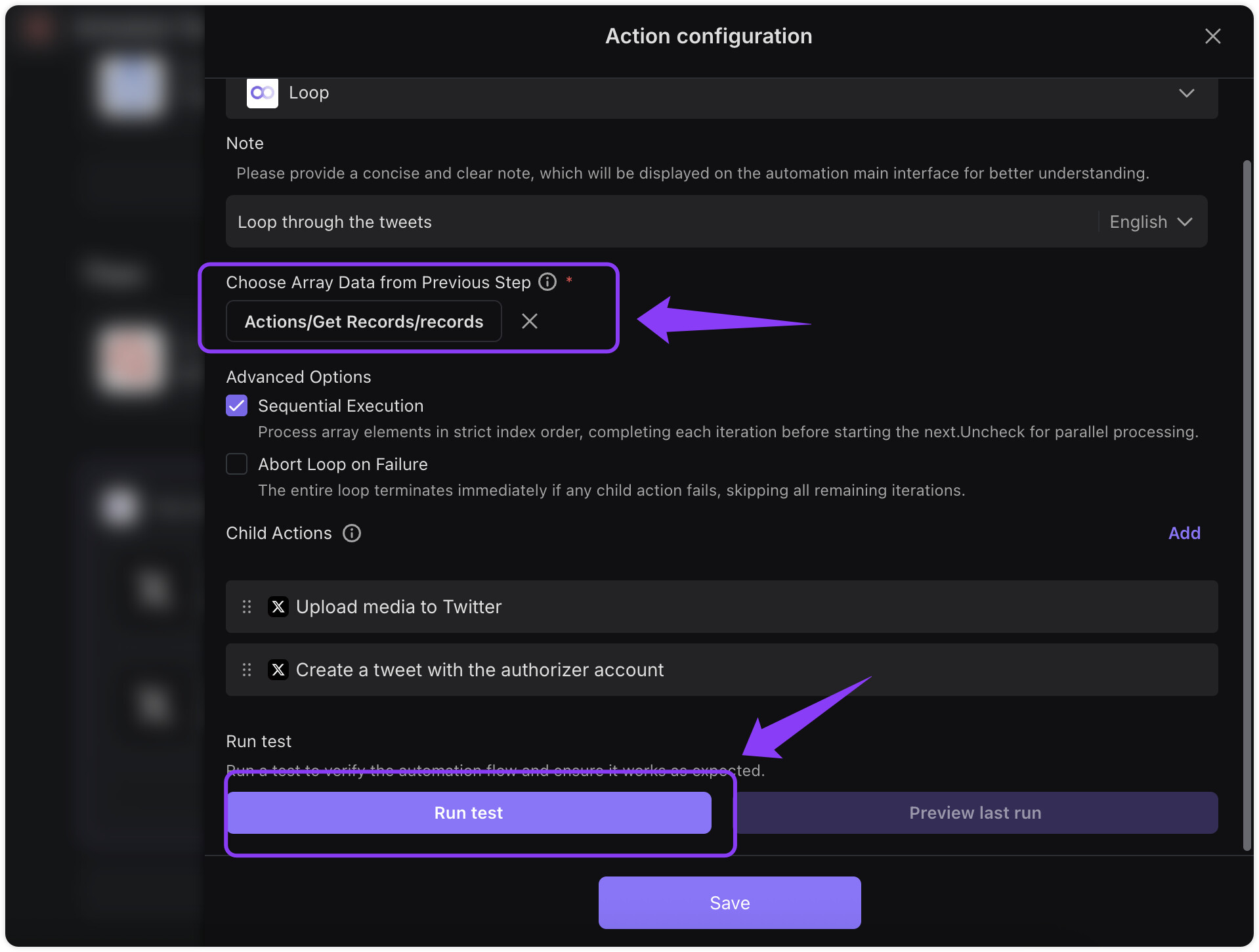
In the Loop settings, you need to select the array data you want to iterate over from the previous step under “Choose array data from previous step”, then click Run Test.
According to the method you provided, I can only select the data from step 1.
However, what I want to retrieve is the data from step 2.
When I try to select data from step 2, only one value from the array is selected and that same value keeps getting entered repeatedly.
I want to know how to access the data values from a module executed inside the loop.
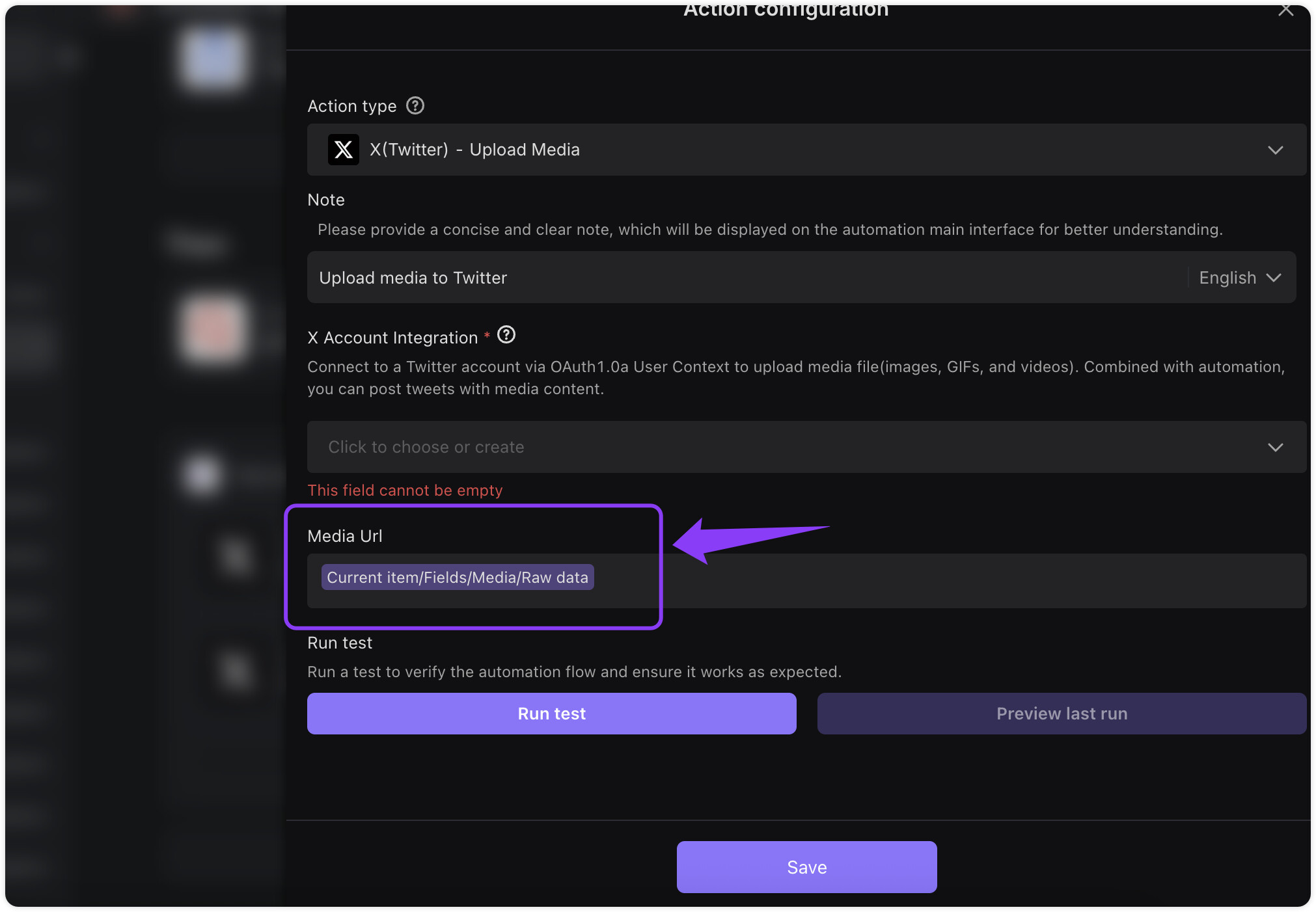
With the method you gave me, I cannot retrieve the value from step 2 (as shown in the question image) and input it into step 3.
Please double-check this again.
Hi @Headchef.Yang , apologies for misunderstanding your question earlier, this seems to be the same issue you raised before regarding nested loops. Bika.ai currently does not support having another loop action nested inside a loop.
The best workaround would be to skip using separate Send HTTP Request and Create Record actions, and instead use a single Run Script action. In your script, you can handle both sending the request and creating the record in one step.
Regarding the following question, I don’t fully understand it. Could you please explain it in more detail so we can better understand? Thank you.
Question: When the right sidebar opens with the input field, the left screen gets blurred. Sometimes I need to view the database on the left, so I wish it were fully visible like in Aitable.
Answer: Are you trying to say that when entering variables in the input field, you want to know which data table is configured in the trigger or action?
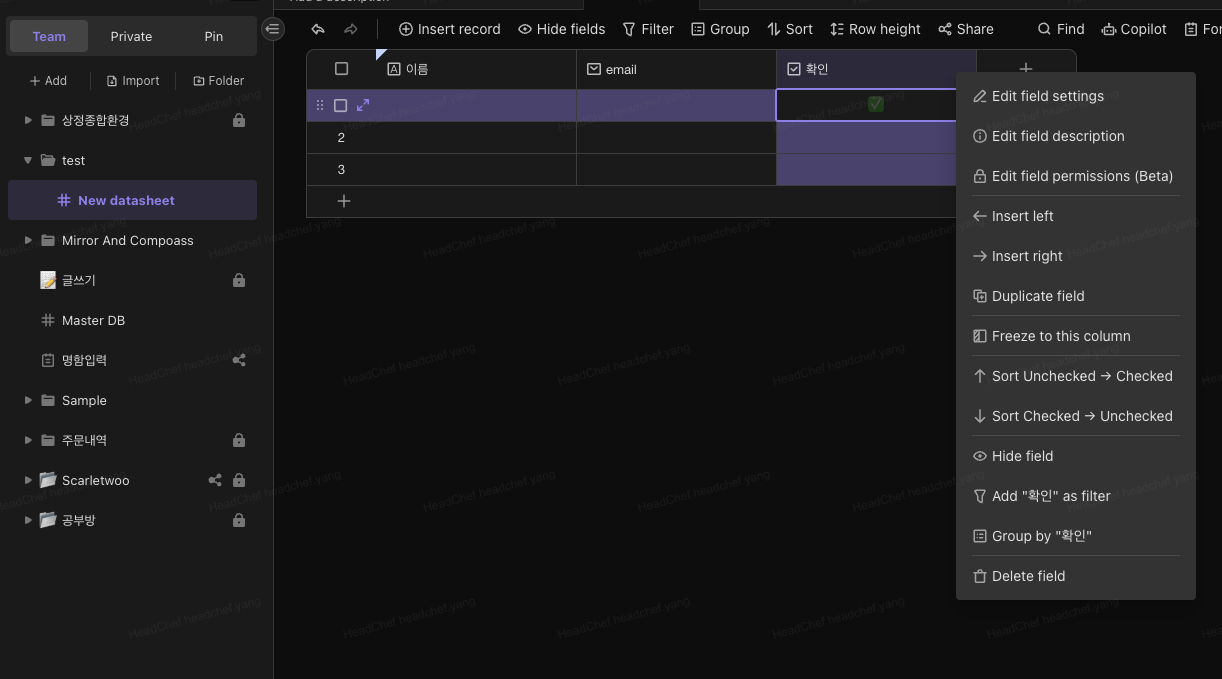
This part is related to the interface. I will attach a screenshot of AITable.
In AITable, even when the edit window is opened, other parts of the screen are not blurred.
Sometimes, I need to check the names of the nodes on the far-left sidebar or view the entered data values.
However, in Bika, when the edit window is opened, everything outside the window is blurred and not visible.
It seems like the intention is to help users focus on the edit window, but for me, not being able to see other information is quite inconvenient.
So, I requested an improvement.
Hi @Headchef.Yang, we just posted a tutorial on how to batch create records using the Run Script action. Could you check if this helps with your question?