1. Get the Attachment Path 
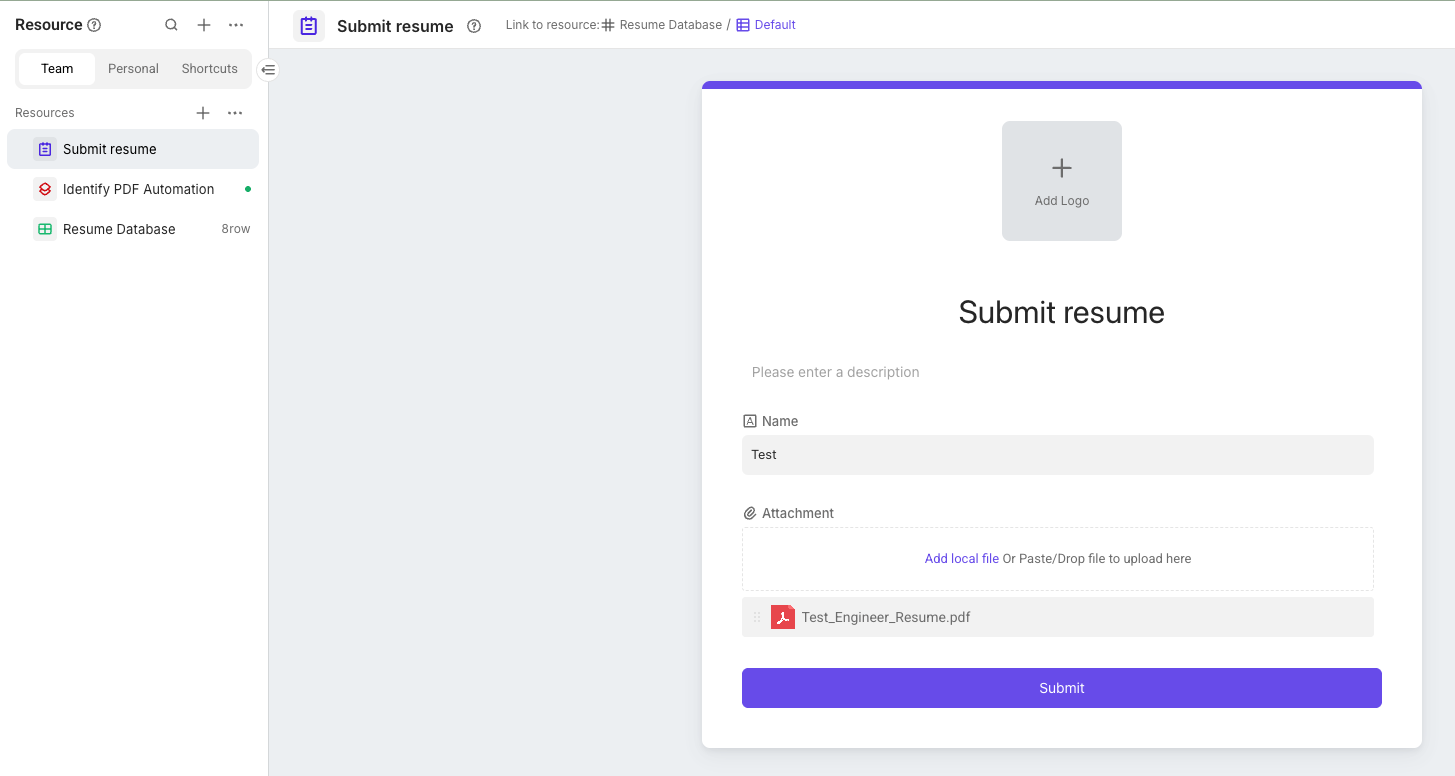
After you upload your resume PDF through the form feature, the PDF file will be stored on Bika’s cloud. When we call OpenAI’s API, we need to include the publicly accessible URL of the PDF file in the post data when making the request. This allows the LLM to properly perform text extraction and analysis tasks on your PDF resume.
First, we need to find the storage path of your PDF attachment.
-
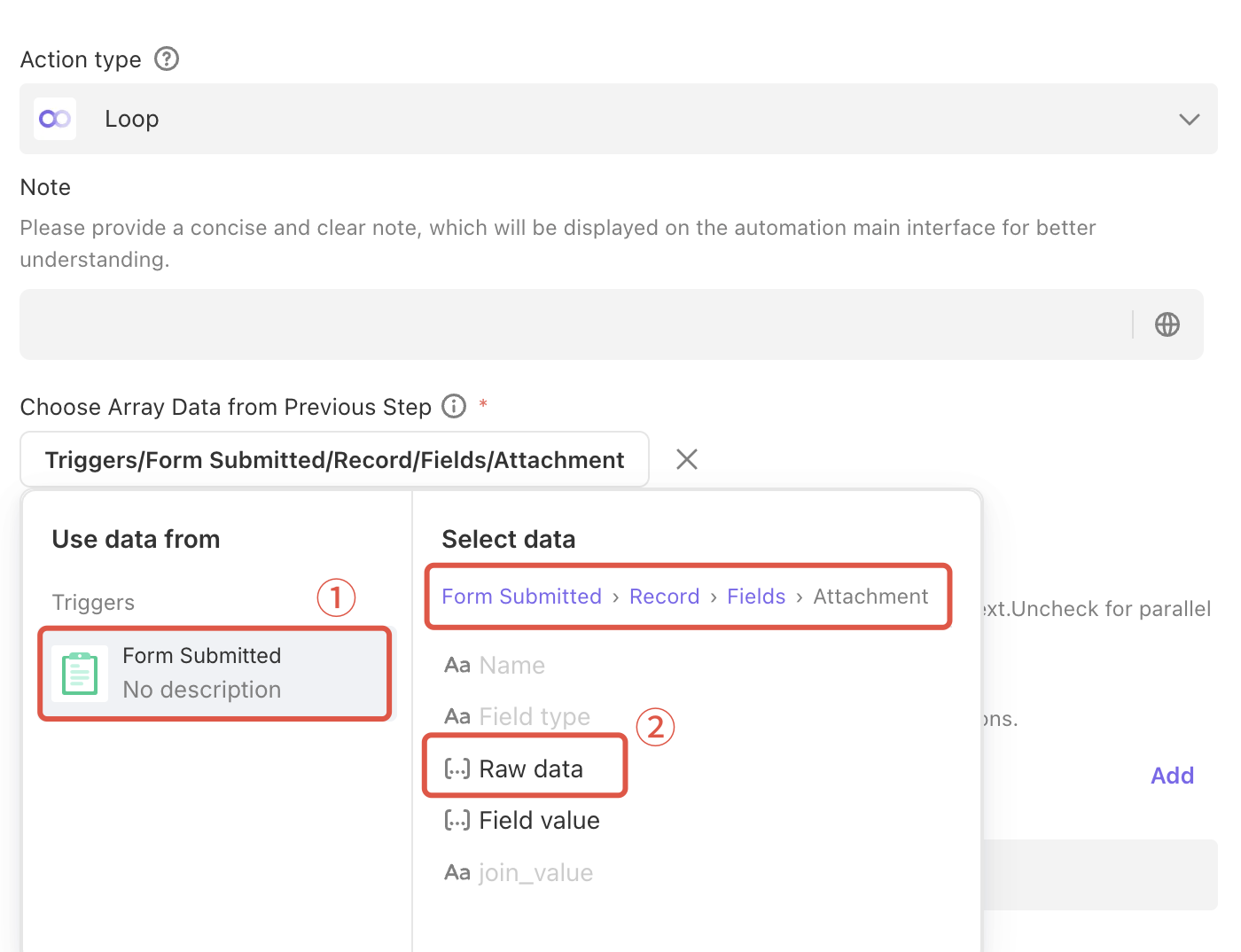
In your automation flow, find the Loop action (In the database, the value of an attachment field is an array, which means multiple attachments can be stored in a single cell. Therefore, a loop action is required to iterate through and process them.).
-
Select “From Submitted > Record > Fields > Attachment > Raw Data”
-
Then, click the Run Test button. After running the test, you will be able to find the attachment’s
pathinformation in the results.
2. Use OpenAI to Identify Attachment Content 
Next, we’ll configure an HTTP Request action to send the attachment to OpenAI for processing.
- URL:
https://api.openai.com/v1/responses - Headers:
Content-Type:application/jsonAuthorization:Bearer __YOUR_API_KEY__(replace__YOUR_API_KEY__with your personal API Key)
- Body:
{
  "model": "gpt-4.1",
  "input": [
    {
      "role": "user",
      "content": [
        {
          "type": "input_text",
          "text": "Analyze the letter and provide a summary of the key points."
        },
        {
          "type": "input_file",
          "file_url": "__YOUR_FILE_URL__"
        }
      ]
    }
  ]
}
-
Concatenate
file_url:- Inside the quotation marks for
file_url, first pastehttps://s1.bika.ai/. - Then, type a forward slash
/, which will bring up the variable editor. - In the variable editor, select the attachment
pathfrom the Loop action that you found in step 1.
- Inside the quotation marks for
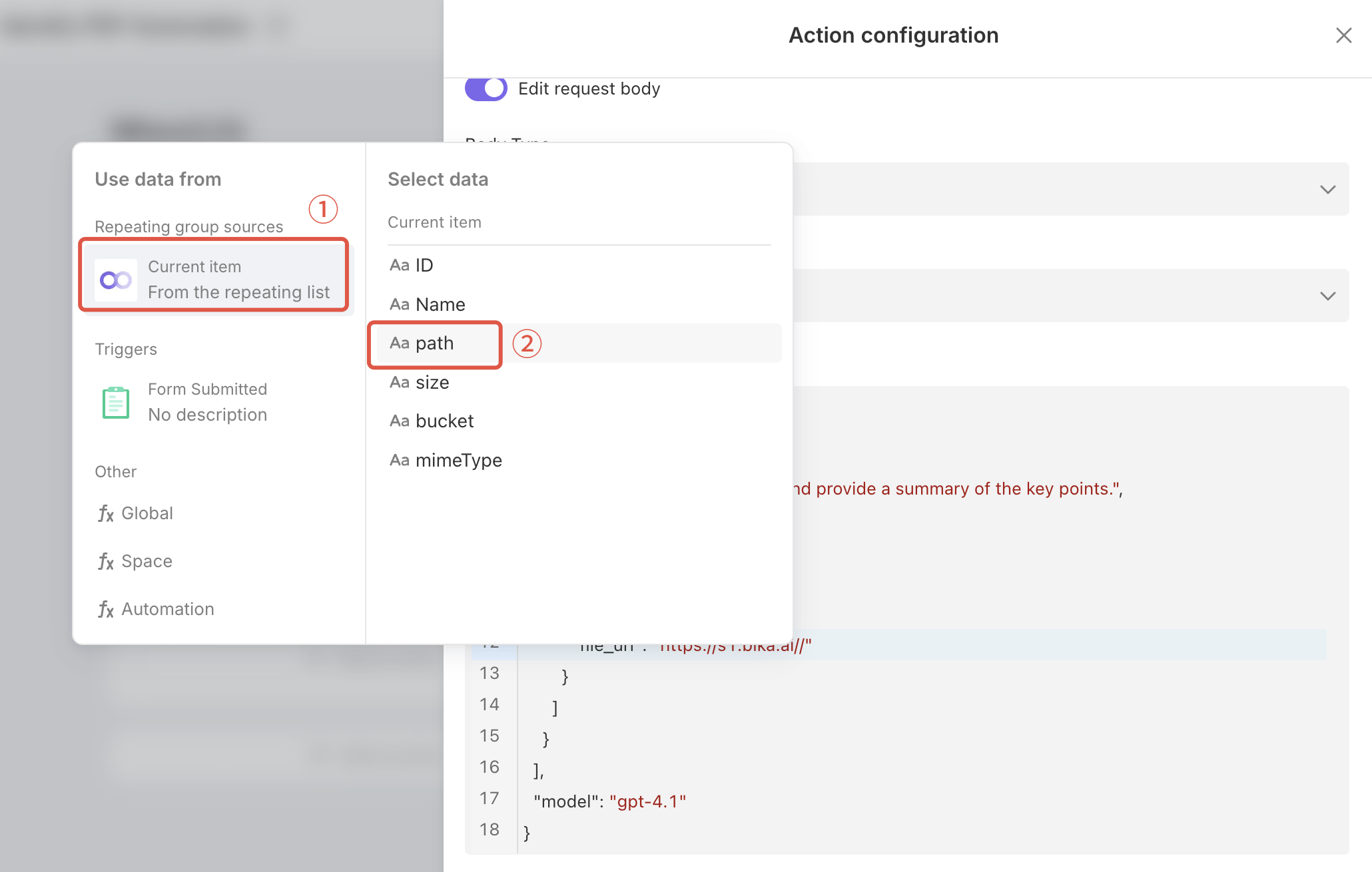
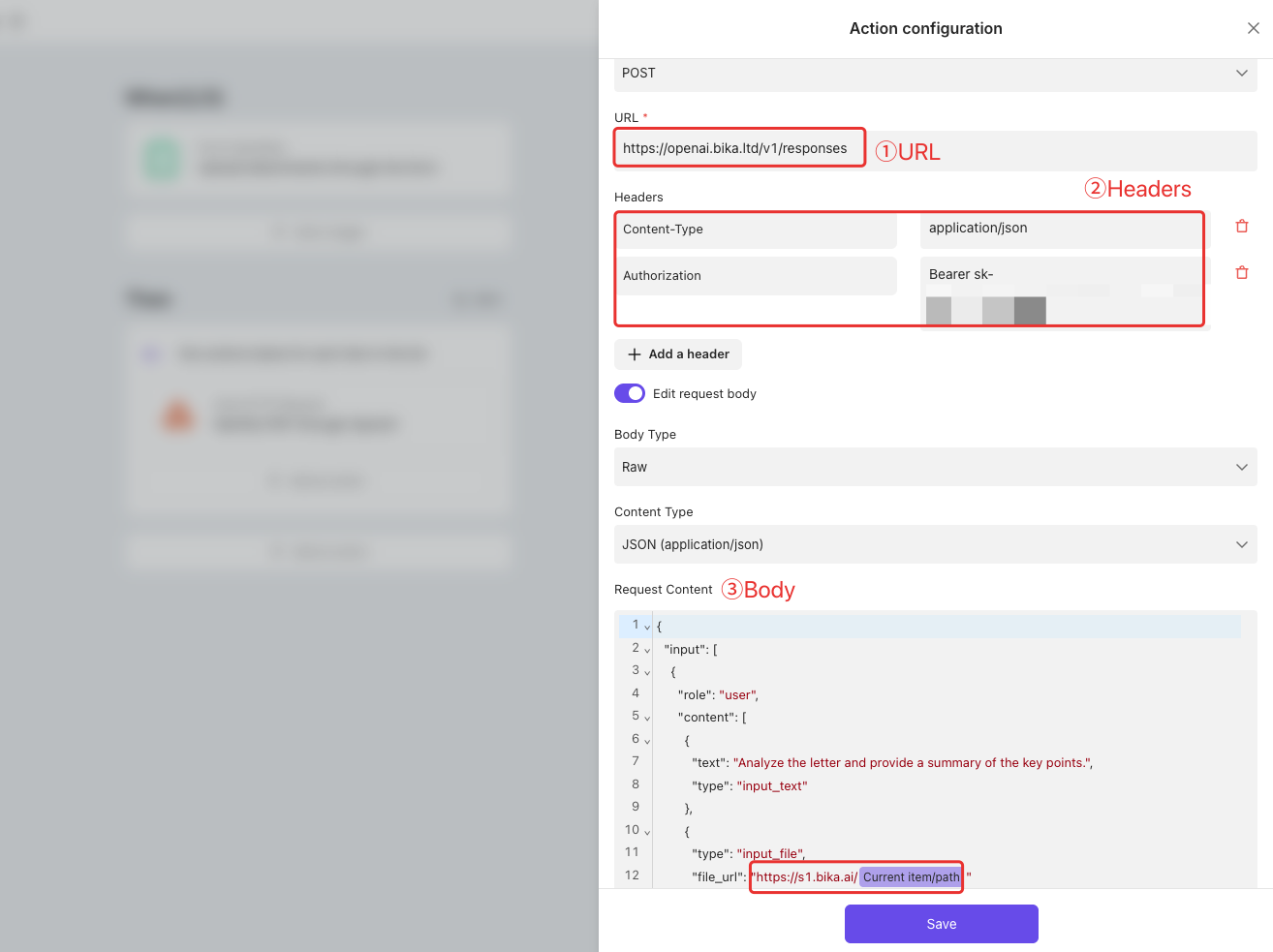
Now, this file_url will dynamically reference the PDF attachment you’ve uploaded.
3. Turn on the Automation 
Save and turn on your automation. Now, you can try uploading a PDF resume and see how OpenAI automatically identifies and analyzes its content!
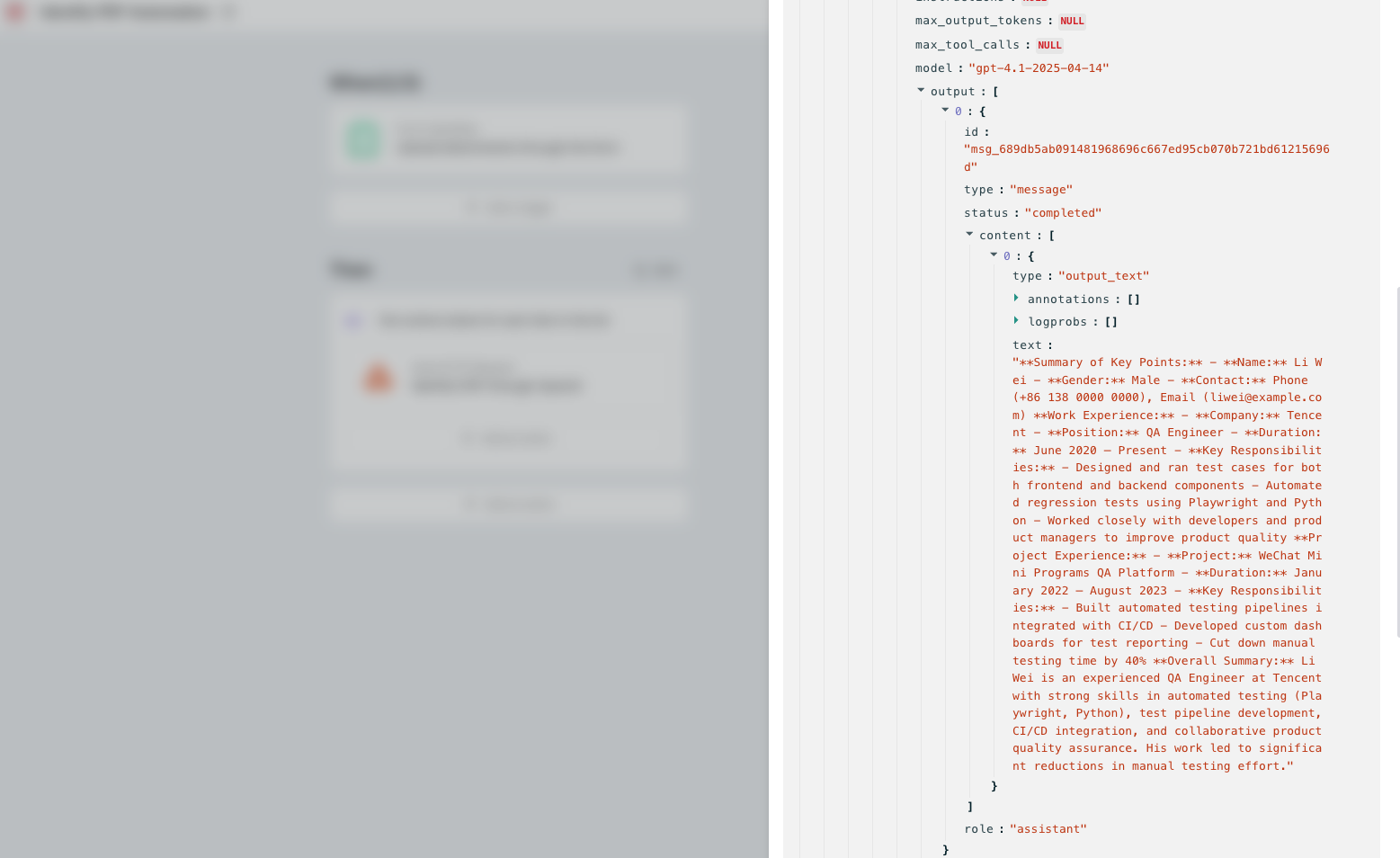
You can view the results in the Item Output of the Loop action in the run history.